AC3D Plugin: Material by Crease Angle and Planar Map by Material
Monday, June 15th, 2009Two new plugins today!
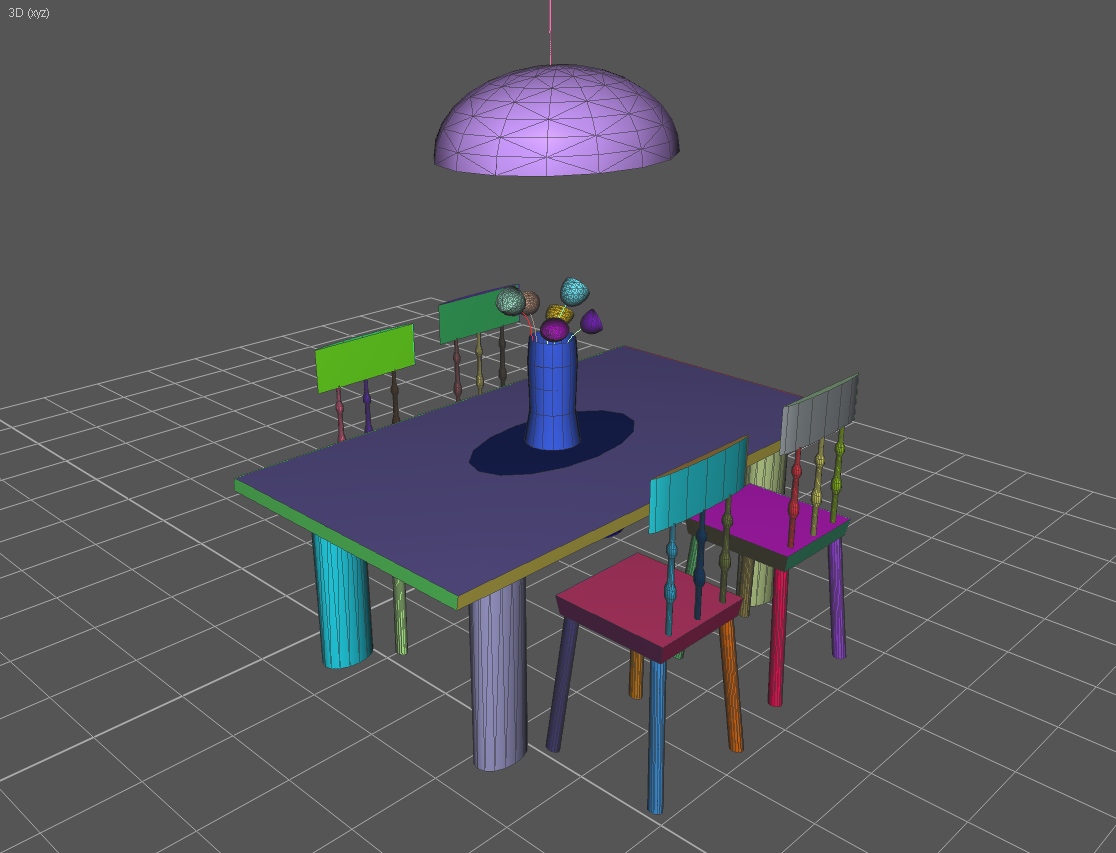
The first plugin, Set Material by Crease Angle, sets the materials of a model based on the crease angle of the mesh. For each selected area, the plugin creates a new color in the palette and “flood-fills” the area until the angle between the surfaces exceeds the crease angle of the mesh. The result is that contiguous areas are all set with the same palette material, and a new material is applied wherever a discontinuity occurs. This allows you to easily break a model into sections along its creases for easier texture mapping, or many other purposes.
The second plugin, Planar Map by Material, actually includes three new commands.
The first command is Fit UV Coordinates to Map. This command is essentially the same as the “max” button in the TCE, forcing all UV coordinates into the 0-1 range, but unlike “max” this scales the map proportionally instead of independently on each axis.
The second command is Adjust UVs for Bilinear Filter. This is useful for game developers. This command scales your texture coordinates by a ratio of 240/256. The purpose is to create a small seam along the edge of the texture map so that if your game is using mipmapping with a bilinear or trilinear filter, the texture won’t bleed into its neighbors in your texture cache nor will it bleed into itself if you haven’t clamped the edges.
The last command, Planar Map by Surface Material, is probably the most useful of the three. Planar Map by Surface Material applies a “best fit” planar projection to all surfaces grouped by material in the current selection. If you section your model by material, this will treat each material color as a contiguous group and apply whichever planar projection fits it best in the TCE. You’ll still need to do some manual adjustment after you map it this way–especially texture packing, as this leaves plenty of room between areas so the surfaces aren’t too difficult to select–but it can save a lot of time in laying down a base mapping before you manually refine each area.
More information about each plugin is available in the readme.
Download the Material by Crease Angle plugin. (Requires Windows XP, AC3D 6.2 or above.)
Download the Planar Map by Material plugin. (Requires Windows XP, AC3D 6.2 or above.)